Widget management
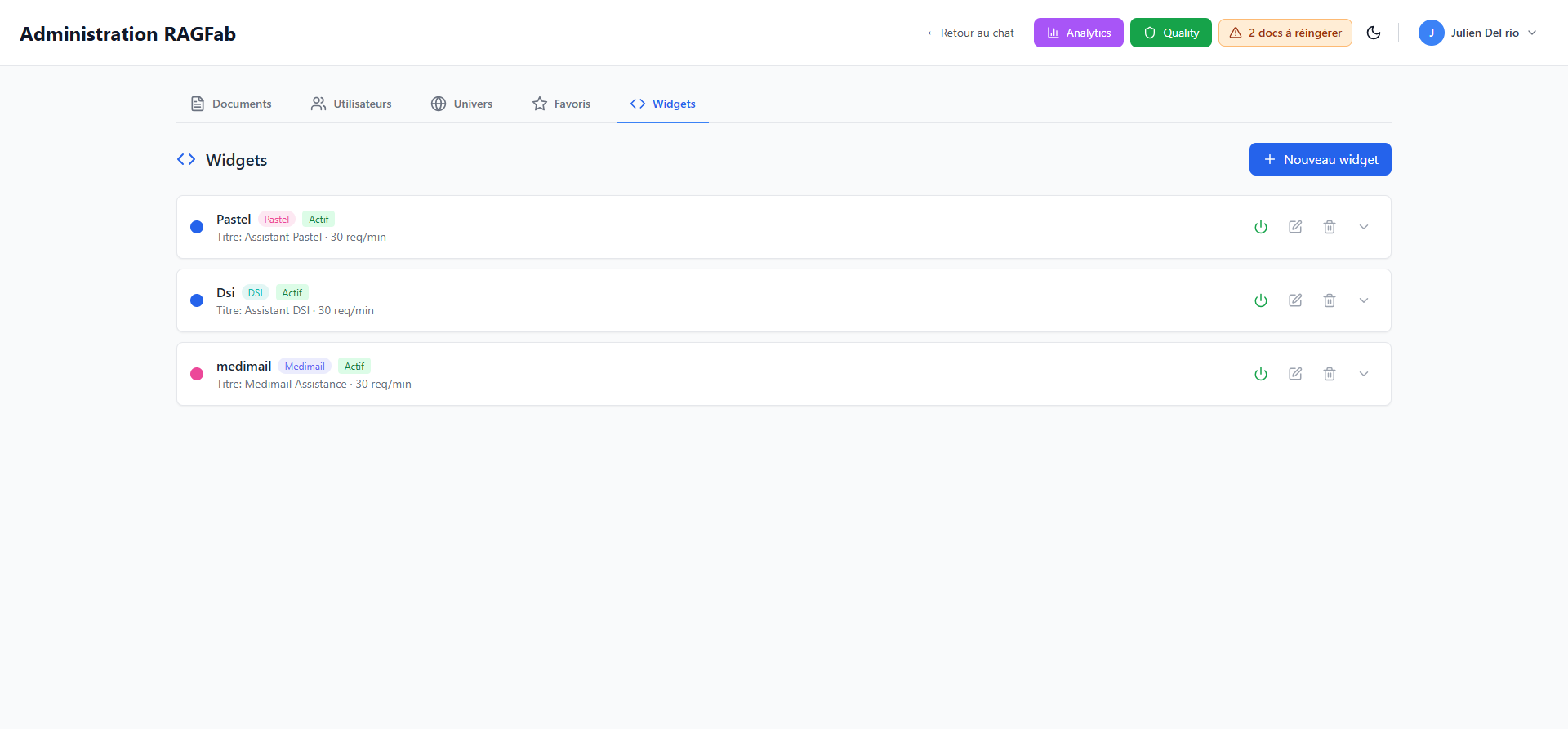
The Widgets tab in the administration page allows you to create and configure embeddable chat widgets for external applications.
WARNING
This feature is restricted to administrators.
Access widget management
- From the administration page, click the Widgets tab.
What is a widget?
A widget is an embeddable version of the RAGFab chat. It allows you to add a knowledge search assistant directly into your internal applications (intranet, portals, etc.).
Each widget is associated with a specific universe and has its own settings.
Overview
Each widget displays:
- Its name
- The associated universe (colored badge)
- Its status (Active/Inactive)
- The title displayed in the widget interface
- The request limit per minute
Create a new widget
- Click + Nouveau widget (New widget) in the top right.
- Configure the settings:
- Name: internal widget name
- Title: title displayed to users
- Universe: associated document universe
- Request limit: maximum requests per minute
- Confirm the creation.
Widget actions
| Action | Description |
|---|---|
| Enable/Disable | Toggle the widget status |
| Edit | Modify widget settings |
| Delete | Permanently delete the widget |
| Expand | View integration code and details |
Embed a widget
Click the chevron on the right of a widget to expand its details and get the integration code to insert into your application.