My profile
The Profile page lets you view and edit your personal information and preferences.
Access your profile
- Click your name in the top right corner.
- Select Mon profil (My profile) from the menu.
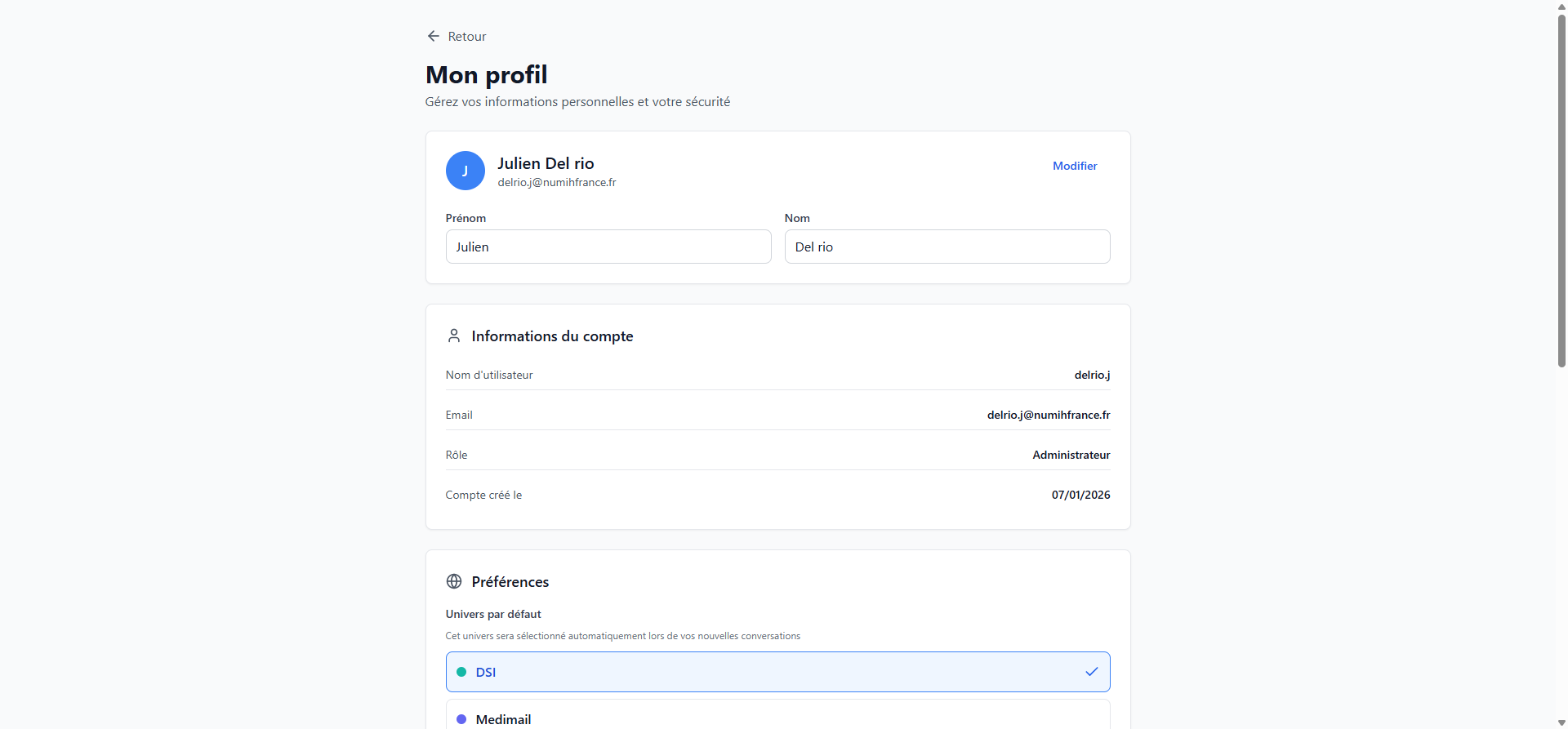
Edit your information
- Click Modifier (Edit) at the top right of the profile section.
- Update your First name and/or Last name.
- Click Enregistrer (Save) to confirm.
Account information
This section displays your account information (not directly editable):
| Field | Description |
|---|---|
| Username | Your login identifier |
| Your email address | |
| Role | User or Administrator |
| Account created | Account creation date |
Change password
- Click Changer le mot de passe (Change password) in the security section.
- Enter your current password.
- Enter and confirm your new password.
- Click Enregistrer (Save).
Preferences
Default universe
Choose the universe that will be automatically selected when creating a new conversation.
- In the Preferences section, under Univers par defaut, click the desired universe.
- A checkmark appears next to the selected universe.
Suggestion mode
Configure question suggestion behavior:
- Automatic: RAGFab suggests follow-up questions after each answer.
- Disabled: no automatic suggestions.
Return to chat
Click Retour (Back) at the top of the page to return to the chat interface.